

A monthly electricity bill shows what the utility charged. It does not explain whether yesterday afternoon solar powered the dishwasher, charged a battery, went to the grid or stopped appearing because a communication device lost its connection. A residential solar monitoring system earns its place by closing that gap.
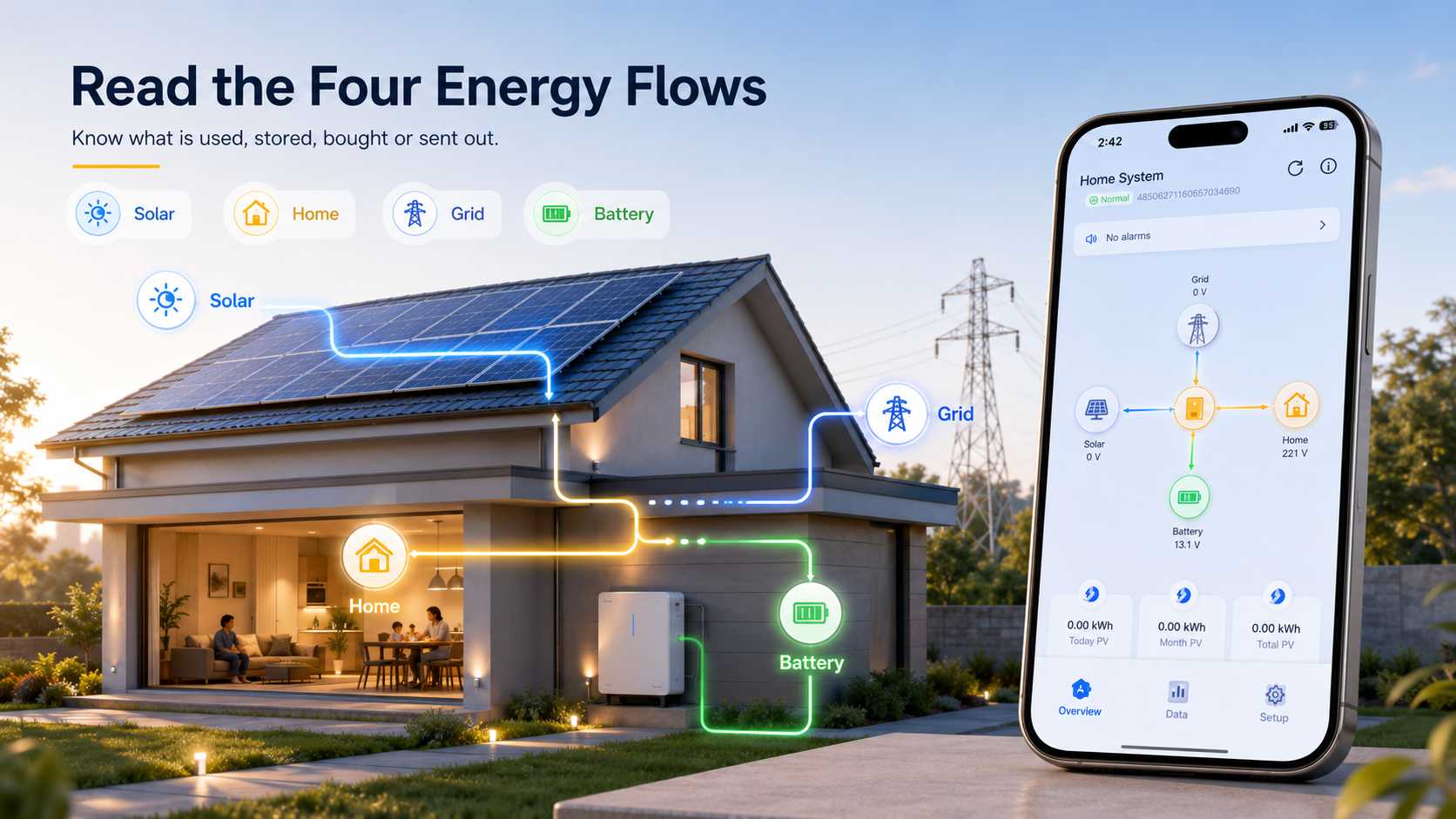
The useful view combines solar production with household consumption and grid exchange. When the home has a battery or EV charger, those flows should be visible as well. The point is not to watch an app all day. It is to confirm that the installation behaves as commissioned, find a load that can move into the solar window and give the service team evidence when something looks wrong.
Start With the Measurement Boundary
Two homes can produce the same solar energy in a month and still receive very different bills. One family may use energy while the array is producing. Another may export surplus at midday, then import power for cooking, cooling or vehicle charging after sunset. Monthly totals hide that timing.
An inverter production graph can show that the PV array is alive. It cannot always show whether the home used that energy, whether a battery absorbed it or whether a large evening load came from the grid. Once the goal involves evening imports, backup reserve or EV charging, the measurement boundary needs to cover more than the inverter.
Before choosing a platform, ask what the meter actually sees. A monitoring system can be accurate and still be incomplete when an important circuit sits outside its boundary. This is an installation question as much as a software question.
The Four Energy Flows
Solar production
Solar production is the energy generated by the array. The live value is power in kW, while daily and monthly totals are energy in kWh. A high live reading does not automatically mean the system is having a better day. Sunshine, module temperature, array orientation and time of day all change the result.
Compare production across similar weather periods and check whether the shape of the day makes sense. A morning rise, midday peak and afternoon decline can be normal. A sudden flat line during bright conditions deserves attention, but first establish whether the inverter, grid connection and communications are operating.
Home consumption
Home consumption is the power drawn by appliances, lighting, heating, cooling and charging loads. It is the missing half of many solar dashboards. A compatible current transformer or meter needs the right scope and direction before the result can guide a household decision.
Enphase provides a useful manufacturer example. Its full energy view uses production and consumption current transformers to display production, consumption and grid exchange. The lesson applies across brands: ask exactly which circuits and flows are measured, then test a known load at commissioning.
Grid import and export
Grid import is energy bought from the utility. Export is surplus solar sent from the home. Their timing can matter where electricity prices or export compensation change by period. Monitoring can help the owner move flexible demand toward the solar window, but it cannot promise a lower bill without an accurate meter, a suitable tariff and a realistic change in household routine.
For example, a home may export energy at midday and import energy after dinner. Moving a dishwasher cycle or pre cooling the home could reduce part of that later import. The result depends on weather, appliance demand and family routines, so it should be checked through actual readings rather than assumed from a generic savings claim.
Battery and flexible loads
For a battery, watch state of charge, charge source, discharge timing and the backup reserve. A battery that is full at noon may be following the chosen settings. A battery that is empty before the expensive evening period may need a different reserve or schedule, not necessarily a larger battery.
Flexible loads include EV charging, water heating and appliances that can safely operate at another time. Some platforms bring solar, battery, EV charging and connected loads into one view. Compatibility still needs checking before purchase. A shared screen does not prove that every device can communicate or follow the same control logic.
Prove the Setup on Commissioning Day
The first week after installation is the best time to create a baseline. A screen full of numbers is not proof that every measurement is correct. Ask the installer to demonstrate an agreed known load while you watch the dashboard. A kettle, small heater or similar appliance can show whether consumption changes in the expected direction and approximate amount.
Commissioning check | Expected dashboard evidence | Action when it differs |
PV production | Production rises in daylight | Ask for review of array, inverter and communications |
Home consumption | Known load creates a visible change | Confirm meter scope and sensor direction |
Grid exchange | Import or export changes with the load | Check measurement point and tariff settings |
Battery status | State of charge follows the selected mode | Confirm reserve, schedule and battery communication |
Alerts and account | Owner receives a test alert and can export a report | Record account owner and service contact |
Do not open a distribution board, move a current transformer or reverse a meter connection yourself. A reversed sensor can mislead every later decision, and electrical work belongs with a qualified electrician.
Our ES IP54 on off grid solar inverter can support a monitoring ready home design when the project needs inverter status, battery information and remote service visibility. The published range includes 6.2KW and 12KW versions with IP54 protection and on off grid operation. Optional WiFi or GPRS access, USB and RS485 communication, battery communication and selected charging priorities are useful only when the commissioning handover makes clear who owns the account, who receives alerts and what the system is measuring.
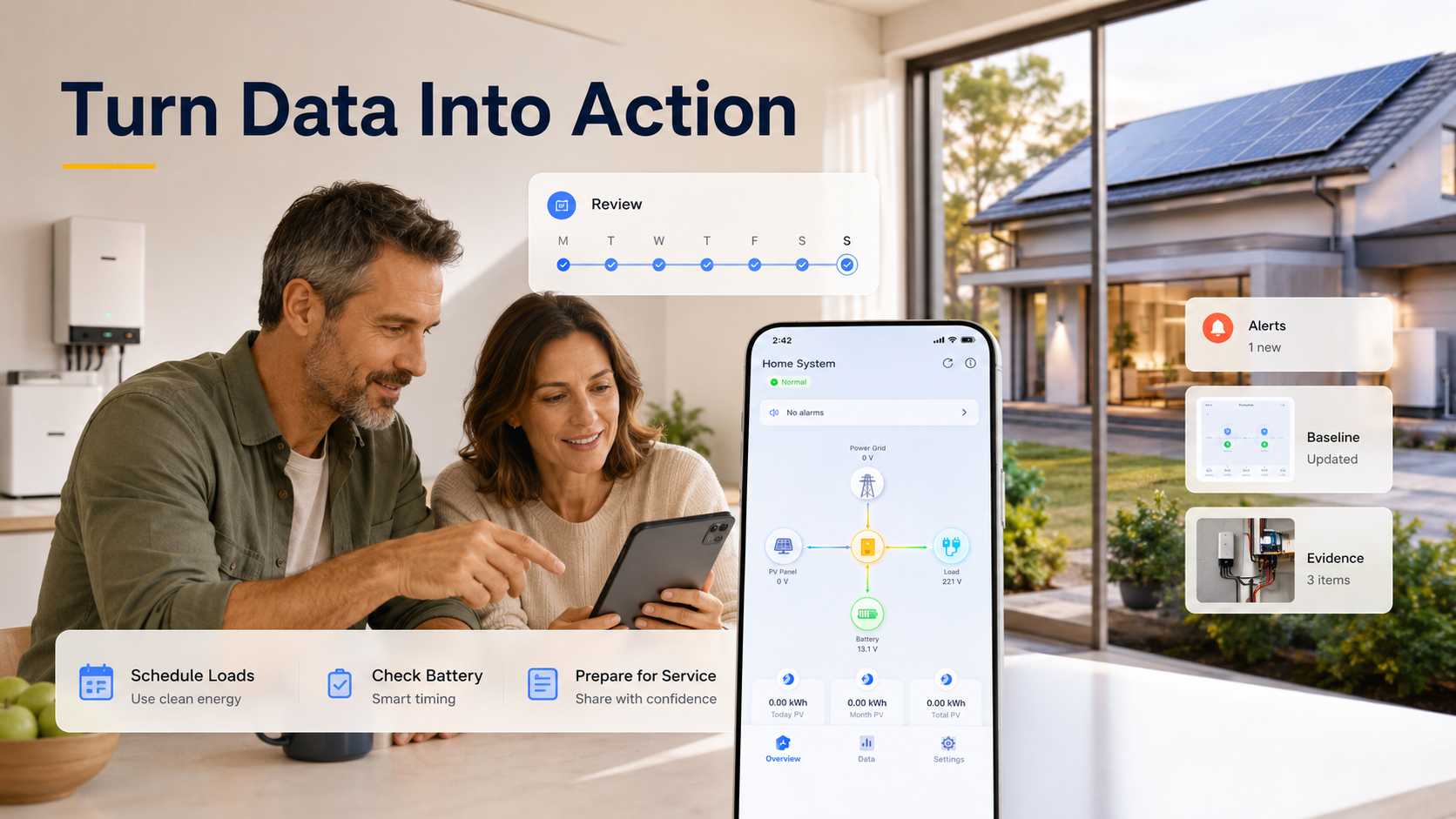
Run a Seven Day Home Energy Review
A brief review after commissioning makes the dashboard useful without turning it into another daily task. Change one habit at a time, keep the weather context in view and save the evidence that a service technician may later need.
1. Record the PV size, tariff, expected production, battery reserve and a normal day screen during the first two days
2. Identify the period when export rises and choose one flexible load that can safely move into that window
3. Find the highest import period during days three and four, then compare one practical schedule change under similar weather
4. During days five and six, confirm battery timing, alert delivery, account access and the behaviour during an internet interruption
5. On day seven, choose one measurable monthly objective that sits within the measurement boundary
A good monthly objective may be one appliance cycle moved into the solar window, a reduction in unexplained overnight load or a check that the battery reserve still matches the outage plan. A whole home meter cannot identify every appliance unless the platform has that specific capability. Keep the target tied to data the system can actually show.
Avoid changing several settings and habits at once. A small clear adjustment is easier to evaluate than a dramatic change with no way to separate weather, tariff, battery control and household behaviour.
Separate a Fault From Weather or a Data Gap
Low production is not automatically a solar fault. Standard PV ratings use 1,000 W per square metre of sunlight and a cell temperature of 25 degrees Celsius. Real sites see clouds, hotter modules, seasonal change and ageing. Compare similar weather periods and the original production estimate before escalating a one day decline.
6. Check whether the app shows current data or whether the gateway lost internet access
7. Review inverter status messages and alert history without resetting equipment blindly
8. Compare the same time of day with recent weather and seasonal conditions
9. Record the date, time, visible code, screenshots and affected loads before contacting the installer
A blank dashboard and a stopped solar system are different conditions. The owner needs to know whether the inverter is producing while the cloud view is delayed, or whether the inverter itself reports a fault. That distinction avoids a misleading production claim and shortens the service conversation.
IEC 61724 1 provides terminology, equipment and methods for PV performance monitoring and analysis. For a homeowner, the practical takeaway is simpler: trust a trend only when the measurement boundary, timing and data quality are understood.
Buy Monitoring With a Service Plan
The most attractive dashboard is not automatically the strongest choice. A homeowner will still need data, access and a service path after the original installation is finished. Treat monitoring as part of the operating record for the solar system.
· Does the homeowner receive the primary account rather than access controlled only by the installer
· Can the owner export daily and monthly records
· Does the system retain local data during an internet interruption and explain delayed data
· Which flows are measured directly and which values are calculated or estimated
· Can a new service provider access records if the original installer changes
· How are passwords, user permissions, firmware updates and alarm contacts managed
Energy Department guidance describes monitoring platforms that support alerts, maintenance records, project documents, operational continuity, third party access and cybersecurity. Those points are just as useful for a home system. The right platform should survive a router replacement, an installer handover and a later request for service evidence.
At handover, record the account owner, the service contact, the monitored devices, the alert path and the expected data interval. This small record reduces uncertainty when the owner sees a gap months later.
Keep the original commissioning screen and the first month of reports together with the system documents. They provide a useful baseline when a later reading seems unusual. A service provider can work faster with the system size, meter scope, battery settings and recent event history than with a statement that production simply looks low.
The homeowner also needs a clear boundary of responsibility. We can support the monitoring design and handover, while the installer should confirm physical meter placement, electrical protection and final commissioning. The owner should know which changes can be made in the app and which questions require a qualified electrician or service technician.
Conclusion
A residential solar monitoring system is valuable when it connects solar production to household decisions. Accurate measurement shows whether solar was used, exported, stored or replaced by grid imports. A commissioning baseline and a seven day review turn those readings into a manageable routine rather than a decorative screen. Start with the measurement boundary, installer handover, account ownership and alert plan before adding software extras. Bring us the system diagram, load priorities, battery plan and internet setup. We can help shape a monitoring ready residential design that is clear for the owner and useful for future service.
✉️Email: marketing@snadi.com.cn
Website:
☎️WhatsApp / WeChat: +86 1803929353

FAQ
It can be enough when the owner only needs basic production and inverter status. Decisions about household use, grid imports, battery behaviour or EV charging usually need a compatible consumption meter or current transformer.
Can a residential solar monitoring system lower my bill?
What should be tested at solar commissioning?
What if the solar app stops updating?
How often should homeowners check solar monitoring?
Can a monitoring app identify every appliance?